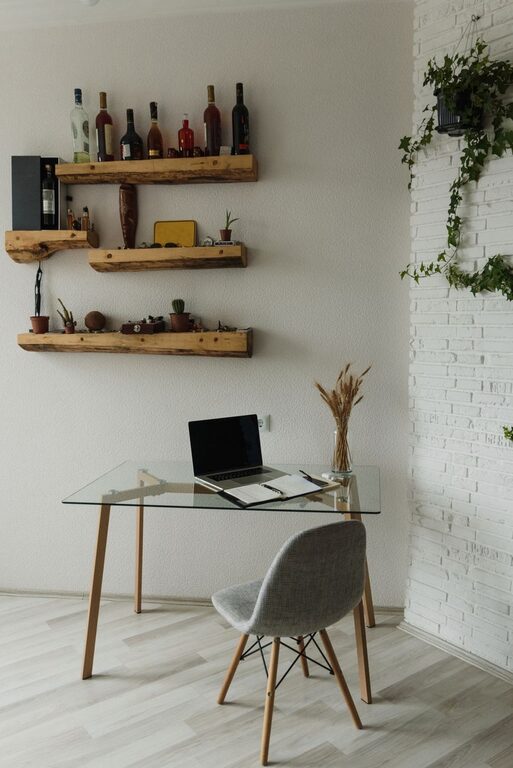

Creating a cozy and productive home workspace is essential for anyone working remotely or managing tasks from home. A well-designed space can boost your focus, enhance creativity, and reduce stress, making your workday more enjoyable and effective. Whether you have a dedicated room or just a small corner, these tips will help you transform your home workspace into a comfortable, inspiring, and efficient area.
Choose the Right Location
Find a Quiet Spot
The first step in setting up your home workspace is selecting the right location. Choose a quiet area with minimal distractions, away from the hustle and bustle of household activities. This could be a spare room, a quiet corner in the living room, or even a nook near a window.
Prioritize Natural Light
Natural light can significantly improve your mood and productivity. Position your workspace near a window, if possible, to soak up daylight. If natural light is limited, use bright, warm artificial lighting to prevent eye strain and create a welcoming atmosphere.
Invest in Comfortable Furniture
Ergonomic Chair and Desk
Comfort is key to maintaining productivity throughout the day. Invest in an ergonomic chair that supports your back and encourages good posture. Likewise, choose a desk that fits your space and allows for comfortable arm and wrist positioning while typing or writing.
Adjustable Furniture
If possible, consider adjustable desks that enable switching between sitting and standing positions. This can help reduce fatigue and improve circulation during long work hours.
Organize for Efficiency
Declutter Your Space
A cluttered workspace can lead to distractions and stress. Keep only essential items on your desk and store other materials in drawers or shelves. Consider using organizers, trays, or containers to keep supplies tidy and easy to access.
Use Cable Management Solutions
Tangled cables create visual clutter and can be frustrating. Use cable clips, ties, or sleeves to keep cords neat and out of sight, maintaining a cleaner, more organized environment.
Personalize Your Workspace
Add Personal Touches
Incorporate items that inspire and motivate you, such as photos, artwork, or plants. Personal touches create a pleasant and inviting atmosphere, helping you feel comfortable and connected to your workspace.
Include Greenery
Plants bring life and fresh air to your workspace. Choose low-maintenance plants like succulents, snake plants, or pothos to add a touch of nature without requiring much care.
Manage Noise and Distractions
Use Noise-Canceling Headphones
If your home environment is noisy, noise-canceling headphones can help you stay focused by blocking background sounds. They are especially useful in shared spaces or busy households.
Set Boundaries
Communicate your work hours to family or housemates to minimize interruptions. Use visual cues, such as a closed door or a “do not disturb” sign, to indicate when you need uninterrupted focus time.
Optimize Technology and Tools
Reliable Internet Connection
A stable and fast internet connection is vital for remote work. Invest in a good router or consider a wired connection to avoid connectivity issues during important meetings or tasks.
Organize Digital Tools
Keep your computer desktop organized and use cloud storage to back up important files. Utilize productivity apps to manage tasks, deadlines, and communication efficiently.
Maintain Good Habits
Take Regular Breaks
Avoid burnout by taking short breaks throughout your workday. Stretch, walk around, or practice deep breathing to recharge and maintain focus.
Set a Routine
Establishing a consistent daily routine helps your mind transition into work mode. Start your day with a set schedule and include time for both focused work and breaks.
Enhance Air Quality and Comfort
Ventilation
Good airflow is important for comfort and health. Open windows when possible or use fans and air purifiers to maintain fresh air in your workspace.
Temperature Control
Maintain a comfortable temperature by adjusting your thermostat, using fans, or having a portable heater nearby. Being too hot or cold can affect your concentration and productivity.
—
By following these tips, you can create a home workspace that not only supports your productivity but also feels warm and inviting. Remember, the best workspace is one tailored to your needs and preferences, striking the perfect balance between function and comfort. Take your time to set up your space thoughtfully—it’s an investment in your well-being and work success.